QA MadnessBlog AI QA for Web Applications: How AI Improves Cross-Browser Testing, UI Regression, and Release Confidence
AI QA for Web Applications: How AI Improves Cross-Browser Testing, UI Regression, and Release Confidence
Reading Time: 14minutes
Last updated: August 31, 2026
Web applications are not generic software. They run across three distinct browser engines, render differently on hundreds of device and OS combinations, ship updates daily or weekly, and expose every visual regression to users the moment a build goes live. That specificity is what makes web app testing genuinely hard at scale, and it is why generic AI QA advice misses the point.
The developer output problem compounds this. According to Greptile’s 2025 State of AI Coding report, lines of code per developer grew from 4,450 to 7,839 as AI coding tools became standard practice, and median PR size increased 33% in a single year. More code, faster releases, denser changes, and a QA team that cannot scale headcount at the same rate.
The real question is not whether to use AI in QA. It is whether your web testing approach is built for the specific risks your web app faces.
This article covers exactly that: the web-specific testing challenges that compound as products scale, and the AI-assisted practices that address each one, including how we approach them at QA Madness.
Why Web App Testing Becomes Harder as Products Scale
A web application that works flawlessly at version 1.0 with three pages and one API can become nearly untestable by hand at version 3.0 with fifty routes, multiple third-party integrations, and a component library updated every sprint. The complexity does not grow linearly. It compounds.
Several web-specific factors drive this:
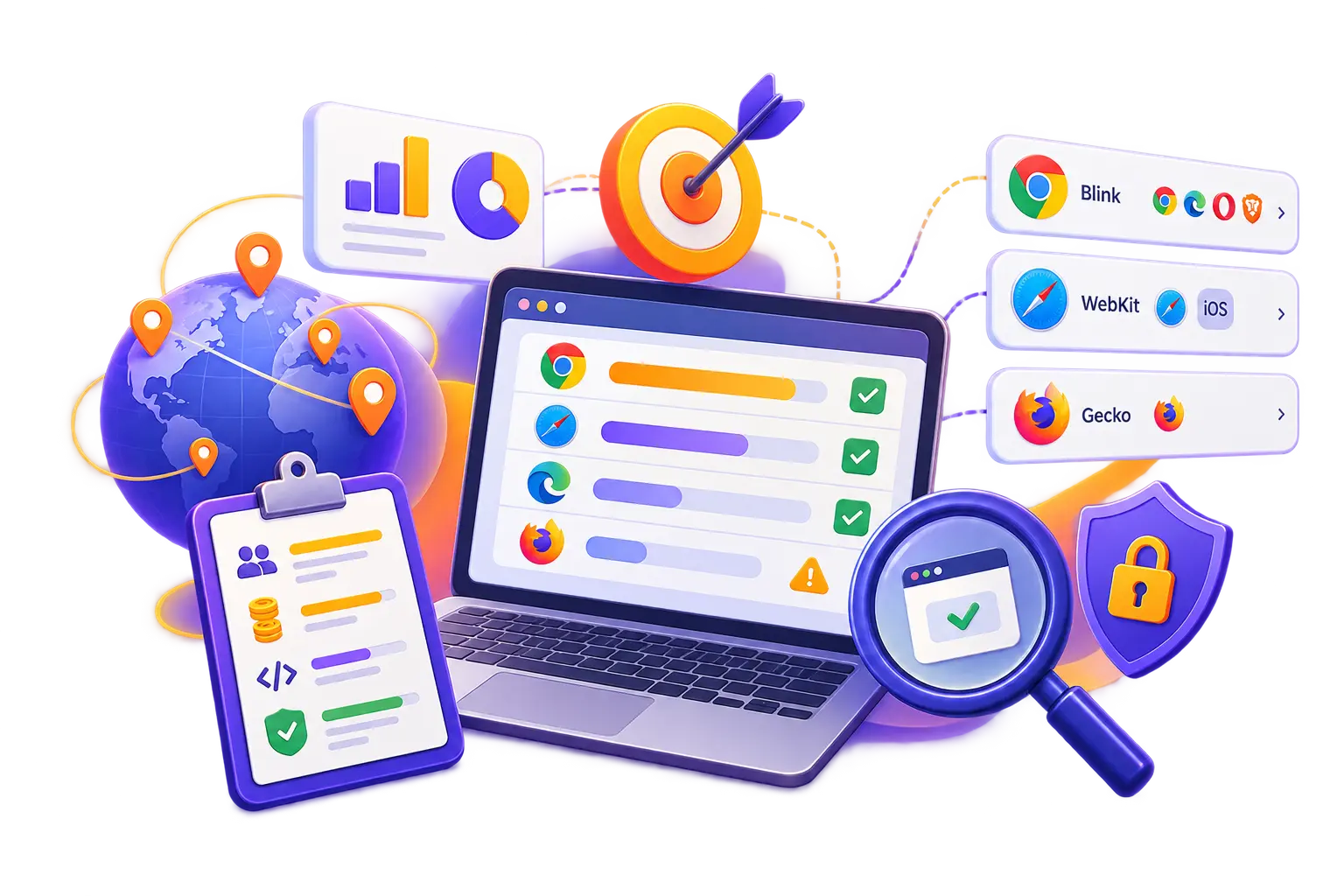
➛ Browser engine fragmentation. Despite dozens of named browsers, there are only three rendering engines that matter: Blink (Chrome, Edge, Opera, Brave), WebKit (Safari on macOS and every browser on iOS), and Gecko (Firefox). A layout that looks correct in Chrome can clip text in Safari, break a flex container in Firefox, or fail an animation on iOS. Safari’s WebKit is the primary source of production web bugs in 2026, not Chrome.
➛ Dynamic, component-driven UIs. Modern SPAs built with React, Vue, or Angular generate DOM structures at runtime. Static test selectors that target hardcoded element IDs break the moment a developer renames a component or restructures the DOM tree. Selector maintenance becomes a full-time job on fast-moving codebases.
➛ Growing API surface. As web apps mature, they accumulate more third-party integrations, internal microservices, and payment or data APIs. Each integration is a potential failure point that UI testing alone will not catch. A broken API contract often surfaces first as a confusing UI behavior that is expensive to trace.
➛ Frequent release cadence. Teams shipping daily or weekly cannot afford to run a full manual regression suite before every deployment. But skipping regression means shipping with unknown risk. This is the core tension that breaks traditional QA approaches at scale.
➛ AI-generated frontend code. In 2026, a significant share of frontend code is generated or scaffolded by AI coding tools. Research confirms that AI-generated UI changes at high frequency, making visual regressions harder to track and easier to miss.
The pattern is consistent: web apps that scale without scaling their QA infrastructure accumulate test debt that eventually shows up as production incidents, customer complaints, and emergency rollbacks.
The good news is that AI-assisted QA is specifically well-suited to these web-specific problems. The next sections cover each challenge and the practices that address it.
Benefits of AI QA for Web Applications
AI-powered QA addresses the web testing scaling problem not by adding more testers, but by changing where human effort is applied. The core benefits are specific to the web environment, not generic software quality.
Benefit
What it solves
Web-specific relevance
Cross-browser coverage at scale
Manual spot-checking across browsers is too slow
Catches rendering regressions across Chrome, Safari, Firefox, Edge simultaneously
DOM-aware self-healing selectors
Brittle locators break on every UI change
Web SPAs restructure the DOM constantly; static selectors fail weekly
AI visual regression
Pixel-diff tools flood reviewers with false positives
Dynamic web UIs produce harmless rendering differences that mask real bugs
API-layer defect detection
UI tests miss integration failures entirely
Catches contract violations and response errors before they cascade into UI bugs
Intelligent test selection in CI/CD
Full regression suites are too slow to run on every PR
Runs only the tests relevant to the current code change
Automated failure triage
Engineers spend hours debugging test failures
Classifies failures as product bugs, automation issues, or environment problems automatically
The compounding effect matters. A team that implements self-healing selectors, visual AI, API testing, and intelligent test selection together does not just get four separate improvements. It gets a testing pipeline that stays current with the application, catches defects at multiple layers before users do, and gives developers fast feedback without waiting for a full regression run.
For a full breakdown of how AI integrates across the testing lifecycle, including test generation, prioritization, and CI/CD quality gates, the AI-Powered QA Integration Guide covers each stage in detail.
AI for Cross-Browser and Cross-Device Testing
Cross-browser testing has historically been a manual, late-stage activity: QA engineers open the application in several browsers, click through key flows, and log any visual differences they notice. At small scale, this works. At scale, it does not. The browser matrix grows, the release cadence accelerates, and the time available for manual checks shrinks.
AI changes this in two concrete ways.
Cloud Browser Grids with AI-Driven Execution
Cloud testing infrastructure provides access to real browsers and devices on demand, enabling parallel execution across Chrome, Safari, Firefox, and Edge without maintaining a local device lab. At QA Madness, Playwright is the primary framework for web automation, covering all three engine families (Chromium, WebKit, Gecko) natively. Cypress is used where the client’s existing stack or team preference requires it. Selenium and WebdriverIO (WDIO) are applied on legacy projects or where the infrastructure already runs them. For cross-device and mobile flows, we use Appium. AI layers on top of this infrastructure by selecting which browser combinations to run based on risk: high-traffic flows run against the full matrix on every merge; lower-priority pages run nightly or weekly.
Research from 2026 confirms that competitive teams target under 15 minutes for pull request smoke feedback and under one hour for a broader post-merge grid run. Bugs caught at the PR stage cost a fraction of what they cost after deployment.
Risk-Based Browser Coverage
Not every browser combination deserves equal attention. AI-assisted coverage strategy prioritizes based on:
➛ Customer analytics (which browsers your actual users run, not global averages)
➛ Rendering engine diversity: Blink covers Chrome, Edge, Opera, and Brave in one sweep; WebKit covers Safari on macOS and every browser on iOS; Gecko (Firefox) is the only remaining independent engine
➛ Regulatory exposure for enterprise, healthcare, or fintech products
A practical baseline for most B2B SaaS products covers the latest two versions of Chrome, Safari (desktop and iOS), and Edge on Tier 1 (every PR), Firefox and Samsung Internet on Tier 2 (pre-release), and the long tail on a nightly or monthly schedule. This tiered approach covers roughly 94% of real-world sessions without blocking the CI pipeline.
The key insight: a small, intentional browser matrix that teams actually trust and maintain outperforms a large matrix that produces so many failures it gets ignored. Most teams over-test in CI and under-test at the release gate.
AI Visual Regression Testing for Dynamic Interfaces
Visual regression testing is one of the oldest ideas in QA: capture a screenshot, compare it to a baseline, flag differences. The problem is that traditional pixel-by-pixel comparison generates enormous noise on dynamic web interfaces. Anti-aliasing differences, font smoothing variations, animated elements captured at different frames, and minor rendering quirks between browser versions all produce false positives that reviewers learn to ignore. Once reviewers ignore the queue, real visual bugs slip through.
AI visual regression solves this by changing the comparison model entirely.
How AI Visual Regression Works
Instead of asking “are these pixels identical?”, AI-powered visual testing asks “does this interface still communicate and function as intended?” Computer vision models use layout segmentation, perceptual comparison, and text-aware analysis to distinguish meaningful visual changes from harmless rendering noise.
The practical result: well-tuned visual AI suites produce a significant reduction in visual diff triage compared with strict pixel matching. A suite that previously generated 200 noisy diffs per PR now surfaces a handful, and that handful is almost always a real product change worth reviewing.
Where Visual AI Delivers the Most Value for Web Apps
Visual regression coverage should go where the risk is real:
➛ Design system components. High reuse, stable baselines, low noise. The clearest win.
➛ Marketing and landing pages. Layout is the product on a marketing page. A broken hero section or misaligned CTA costs more than most teams calculate.
➛ Checkout and payment flows. Revenue-bearing paths with high user expectations and zero tolerance for visual defects.
➛ Cross-browser rendering on Safari mobile. Safari’s WebKit engine is where most web rendering bugs hide. A visual test that only runs in headless Chromium will miss them entirely.
Where It Does Not Pay Off
Visual AI coverage is less useful on highly dynamic dashboards where every render is legitimately different, pages with heavy personalization before data stabilization, and internal admin tools where a slightly broken layout is low priority. Strong functional E2E tests in Playwright or Cypress that assert on visible elements directly can cover these cases without the overhead of visual baseline management.
How AI Reduces Fragile Selector Maintenance
Selector maintenance is the hidden tax of web test automation. Every time a developer renames a CSS class, restructures a component, or refactors a form, test selectors that relied on the old DOM structure break. On a fast-moving SPA, this happens constantly. QA engineers spend sprint time fixing broken selectors rather than expanding coverage, and the automation suite slowly falls behind the application it is supposed to test.
AI addresses this through self-healing selectors: machine learning models that detect when a UI element has changed and automatically update the locator to match the new DOM structure.
How Self-Healing Works in Practice
When a self-healing system detects that a selector can no longer find its target element, it does not immediately fail the test. Instead, it searches the updated DOM for the element using multiple strategies: element attributes, text content, position relative to parent elements, visual appearance, and semantic role. If it finds a confident match, it updates the selector and continues the test. If confidence is low, it fails loudly with a clear alert, which is the correct behavior.
At QA Madness, automation scripts are written primarily in Playwright, with Cypress, Selenium, and WDIO applied where the client’s existing stack requires it. AI assistance is applied at the script generation and maintenance layer: AI reads the actual codebase and the live application, generates the first version of a test, and a Middle or Senior engineer reviews and refines it before it is integrated into CI/CD. Engineers are not starting from a blank file, and the selector strategy is built on real DOM context rather than assumptions.
For teams where maintenance already consumes more sprint time than writing new tests, this is the highest-leverage place to start with AI QA.
The Risk to Watch
Self-healing is not infallible. The failure mode to avoid is silent false passes: the system updates a selector, the test passes, but it is now asserting on the wrong element. A well-designed self-healing tool fails loudly when confidence is low. A poorly designed one silently passes with incorrect assertions, which is more dangerous than a visible failure.
This is why the QA Madness model keeps engineers in the review loop. AI generates and updates; engineers approve. Without that review, an automated system will happily write a test that asserts the bug, the pipeline stays green, and nobody finds out until a user does.
For teams evaluating automated testing services that include self-healing capabilities, human review on every AI-generated change is the single most important criterion to verify. An automated system without that review will happily write a test that asserts the bug, the pipeline stays green, and nobody finds out until a user does.
How AI Automates Bug Detection and Failure Triage
When a test fails in a CI/CD pipeline, someone has to figure out why. On a large test suite, this investigation can consume hours: engineers dig through logs, reproduce the failure locally, and determine whether it is a real product bug, a flaky test, or an environment issue. At high release frequency, this triage work becomes a bottleneck that slows the entire delivery pipeline.
AI automates bug detection and failure triage in three distinct ways.
AI-Powered Failure Classification
AI-powered test observability platforms analyze each test failure and classify it by root cause: product defect, automation issue (brittle selector, timing problem, test data dependency), or environment problem (infrastructure flakiness, network instability, service unavailability). Engineers stop chasing false positives and focus on real product issues.
When a test does fail, AI generates a full bug report automatically: steps to reproduce, logs, screenshots, and severity assessment. A QA engineer reviews the report before it reaches the developer, so what lands in the backlog is accurate and complete. Developers fix bugs faster because they are not chasing missing context.
A test suite where 30% of failures are infrastructure noise, 20% are brittle selectors, and 50% are real bugs looks very different after AI triage: the real bugs surface immediately, and the noise gets routed to the right team for cleanup.
AI-Assisted Coverage Gap Detection
AI continuously monitors the test suite against the product and flags untested paths, risky areas, and missing scenarios before they reach production. At QA Madness, AI reads requirements, user stories, and specifications, then maps out risk areas and suggests test cases, including edge cases a human might miss. Every suggested test case is reviewed and refined by a Middle or Senior QA engineer before anything is executed. AI generates; engineers decide what ships.
On a growing web application this is particularly valuable: new routes get added, components get refactored, and API endpoints get extended, each creating coverage gaps that manual tracking misses.
Predictive Risk Scoring
ML-based test prioritization models analyze the current code diff, historical defect density by component, and business criticality of affected flows to rank tests by their likelihood of catching a regression in the current build. The result is a ranked execution order that focuses coverage where defect risk is highest, not just where the most tests happen to live.
The combined effect: AI classification removes noise, coverage gap detection prevents blind spots, and predictive prioritization focuses effort. Together, these three capabilities mean QA engineers spend their time on the failures that matter, not the ones that do not.
Teams looking to implement these capabilities as part of a structured web testing program can explore QA Madness’s AI in QA testing services for a practical starting point.
AI-Assisted Regression Testing and API Coverage in CI/CD
Regression testing is where the maintenance burden of web automation is most painful. A mature SaaS product can have hundreds or thousands of regression tests. Running all of them on every pull request is too slow. Running a manually curated subset means guessing which tests matter for each change. Both approaches fail at scale.
AI-assisted regression testing solves this with intelligent test selection: the system analyzes which code files changed, maps those changes to the tests most likely to catch regressions in the affected areas, and runs a ranked subset rather than the full suite. This is not random sampling. It is coverage informed by real code change data and historical defect patterns.
What This Looks Like in a CI/CD Pipeline
At QA Madness, CI/CD integration is built around GitHub Actions, GitLab CI, Jenkins, Azure Pipelines, or TeamCity depending on the client’s existing infrastructure. Playwright and Cypress scripts run at the appropriate pipeline stage, with AI-assisted maintenance keeping the suite current as the product evolves. A well-structured pipeline runs in layers:
1. At pull request: Unit tests, component visual checks, and a targeted cross-browser smoke suite against the changed area. Target: under 15 minutes for feedback.
2. On merge to main: Expanded cloud browser coverage for high-traffic user journeys and visual AI checkpoints across selected viewports.
3. Nightly: Full regression matrix, including lower-priority browsers, additional locales, authenticated roles, and edge-case device configurations.
4. Release candidate: Stable baselines required, all visual diffs reviewed and documented, human sign-off before deployment.
API Testing as a First Line of Defense
One of the most underused practices in web app QA is testing at the API layer before defects cascade into the UI. When a third-party integration fails, a payment API returns an unexpected response, or a backend service changes its contract, the bug often surfaces first as a confusing UI behavior that is expensive to reproduce and debug.
At QA Madness, we use Postman, RestAssured, and Karate for API and integration testing. The scope covers:
➛ Contract testing: validating that API responses conform to agreed schemas so backend changes do not silently break frontend behavior
➛ Third-party integration validation: payment gateways, authentication providers, data APIs, and webhook flows
➛ Edge case and error path coverage: 4xx/5xx responses, timeout handling, malformed payloads, and rate limiting behavior
➛ End-to-end flow validation: tracing a user action from UI event through API call to database state and back
AI maps request flows, edge cases, and failure scenarios across integrations, then engineers validate coverage against real contracts and dependencies. The result: issues surface at the API layer, before they cascade into UI bugs that are harder to trace.
Why this matters for web apps specifically: a modern B2B SaaS product may have dozens of internal service calls and third-party API dependencies on a single page load. Functional E2E tests alone will not tell you which API call failed or why. API-layer testing closes that gap.
What Human QA Engineers Still Validate Before Release
AI handles volume. Humans handle judgment. This is not a philosophical position; it is a practical description of where each approach performs well and where it does not.
AI excels at pattern recognition on known, well-traveled flows: running regression checks across browsers, comparing screenshots against baselines, classifying failures by type, generating test cases from requirements, and updating selectors when elements move. These are high-volume, repeatable tasks where consistency and speed matter more than interpretation.
Human QA engineers remain essential for the following:
What AI Cannot Replace
➛ Exploratory testing. A human tester navigating a new feature without a script will find failure modes that no automated test anticipated. Exploratory testing is inherently open-ended, and AI cannot reason about what it has not been trained to expect.
➛ Business logic validation. Does this feature behave the way the product team intended? Does this edge case represent a real user scenario or just a technical boundary condition? These questions require understanding the product, not just the interface.
➛ Accessibility evaluation. Automated tools catch roughly 40% of real accessibility issues. The remaining 60% require a human tester to evaluate keyboard navigation, screen reader behavior, focus management, and cognitive usability.
➛ Usability and UX judgment. A form that passes all functional tests can still be confusing, frustrating, or broken in ways that only a human interacting with it naturally would notice.
➛ Release readiness decisions. AI provides data: pass rates, failure classifications, visual diff counts, coverage percentages. Humans make the call on whether those numbers represent acceptable risk for a production deployment.
How QA Madness Structures the Engagement
At QA Madness, every web testing engagement starts with a discovery call and QA assessment: we map the current state of the product, existing test coverage, release cadence, and automation maturity. From that assessment, we build a QA strategy that defines what gets automated in Playwright or Cypress, what stays manual, and where AI assistance pays off versus where it adds overhead without value.
From there, the engagement moves through:
1. POC and framework setup: establishing the automation framework, CI/CD integration (GitHub Actions, GitLab CI, Jenkins, Azure Pipelines, or TeamCity depending on the client’s stack), and baseline coverage on the most critical flows
2. Execution and coverage growth: AI generates test cases from requirements and automation scripts in Playwright or Cypress; Middle and Senior engineers review, refine, and approve every output before it ships
3. Ongoing maintenance: AI-assisted selector maintenance, failure triage, and coverage gap monitoring keep the suite current as the product evolves without requiring a dedicated maintenance sprint
New features get covered from day one. Regression suites stay current as the product evolves. The pipeline returns feedback in hours, not days.urs, not days.
The practical implication: AI QA does not reduce the need for skilled QA engineers. It changes what those engineers spend their time on. The best web QA teams in 2026 use AI to eliminate repetitive maintenance work, freeing human engineers to focus on the judgment-intensive testing that actually catches the bugs AI misses.
For B2B SaaS products with complex user flows, regulated data, or high release frequency, this combination of AI-assisted automation in Playwright or Cypress and human QA expertise is the foundation of a reliable web application testing program. If you want to understand what that looks like for your specific product and stack, the AI-Powered QA Integration Guide covers the full lifecycle from test generation to CI/CD quality gates.
Frequently Asked Questions
What are the benefits of AI QA for web apps?
AI QA for web applications delivers specific benefits tied to the unique challenges of scaling web products. Cross-browser coverage at scale: AI-assisted test suites built in Playwright (which covers Chromium, WebKit, and Gecko natively), Cypress, or Selenium run across Chrome, Firefox, Safari, and Edge simultaneously, catching rendering inconsistencies that manual spot-checks miss. DOM-aware self-healing: when web UI elements shift after a release, AI-assisted locators update selectors automatically instead of breaking the regression suite. AI visual regression: computer vision tools compare page states across builds, catching layout shifts, broken components, and spacing issues before they reach users. API-layer defect detection: tools like Postman, RestAssured, and Karate catch integration failures and contract violations before they cascade into confusing UI behavior. Faster CI/CD feedback: intelligent test selection runs only the tests relevant to each code change, cutting pipeline time without reducing defect detection on critical flows. The result is higher coverage with the same headcount, and faster feedback loops that give developers actionable results in hours rather than days.
Why use AI in quality assurance testing processes?
Teams use AI in QA processes to close the gap between development velocity and testing capacity. According to Greptile’s 2025 State of AI Coding report, lines of code per developer grew 76% in a single year as AI coding tools became standard practice. QA teams cannot scale headcount at the same rate. AI addresses this by taking on the high-volume, pattern-recognition work: test case generation from requirements and user stories, automation script writing in Playwright or Cypress, self-healing selector maintenance, visual screenshot comparison, and failure triage. This frees human QA engineers to focus on exploratory testing, business logic validation, accessibility evaluation, and release readiness decisions that require judgment rather than pattern matching. At QA Madness, every AI output is reviewed and approved by a Middle or Senior engineer before it affects the product. AI handles execution at scale; engineers handle judgment on what matters.
How does AI automate bug detection?
AI automates bug detection through three complementary mechanisms. First, AI-powered test observability platforms analyze test failures and classify them by root cause: product defect, automation issue such as a brittle selector or timing problem, or environment problem such as infrastructure flakiness. This prevents engineers from spending hours investigating failures that turn out to be noise. Second, visual AI compares rendered page states across builds using computer vision, detecting layout shifts, missing elements, and rendering inconsistencies that functional tests do not assert on. Third, AI continuously monitors the test suite and flags coverage gaps: untested routes, new API endpoints, and changed components that no existing test covers. At QA Madness, AI also generates full bug reports automatically when a test fails, including steps to reproduce, logs, screenshots, and severity assessment. A QA engineer reviews every report before it reaches the developer, so what lands in the backlog is accurate, complete, and actionable.
Last updated: August 27, 2026 Most engineering teams don't have a testing problem. They have a time problem. Writing test cases takes hours. Regression suites grow until they block every release. Automation scripts break the moment a UI element shifts. And the QA team spends its best hours on work that a well-configured system could handle instead. AI in software testing changes that equation, not by replacing QA engineers, but by absorbing the mechanical, repetitive layer of their work so engineers can focus on what actually requires human judgment. By 2027, Gartner projects that 80% of software engineering organizations will use AI-augmented testing tools, up from fewer than 20% in 2023. Teams that have already made the shift report up to 70% reductions in manual effort on repetitive QA tasks, according to Capgemini's World Quality Report. This article explains what AI in software testing actually means, which tasks it handles best, how it expands test coverage, and where...
Last updated: August 6, 2026 Most teams that struggle with QA automation do not have a tooling problem. They have a vendor problem. They hired a provider that can produce test scripts, but cannot explain what those tests protect, cannot connect coverage to business risk, and cannot keep the system maintainable as the product evolves. The market has moved. According to the 2025-2026 State of Testing report by PractiTest, AI adoption is now common in QA workflows. That raises the baseline. If a provider still treats automation as a collection of scripts instead of an engineering system, they are behind the market. This article focuses specifically on web automation for teams building automation from scratch or near-scratch. Mobile automation is a related track but requires a separate tooling discussion. And if your project already has an existing automation suite you want to hand off to an outsourced team, that scenario deserves its own evaluation framework, since the priorities...
The best software testing tools in 2026 span five categories: performance testing (Apache JMeter, k6), test automation (Playwright, Selenium, Cypress), unit testing (Vitest, Jest), test management (TestRail, Qase), and bug tracking (Jira, Linear). This guide covers 12 essential tools QA teams rely on daily – updated to reflect the shift toward AI-assisted testing and modern JavaScript-first frameworks that have replaced many legacy tools from previous years. Originally published: February 11, 2016 | Updated: June 5, 2026 What Are the Best QA Testing Tools in 2026? Modern QA teams need tools that integrate tightly with CI/CD pipelines, support AI-assisted testing, and work natively with JavaScript-first stacks. Below are 12 tools that cover the five core categories every QA organization needs. Performance Testing Tools Here are the most important tools to test the performance, load, and stress of your website or application. Apache JMeter is a 100% pure Java desktop application d...
SaaS companies ship fast. That's the whole point. Weekly sprints, continuous deployments, feature flags, multi-tenant architecture, third-party integrations stacked on top of integrations. The velocity is the product. But velocity without quality is just a faster way to lose customers. The numbers are unambiguous: 68% of users will abandon an application after encountering just two software bugs or glitches, and 88% are less likely to return after a bad experience. For SaaS, where the average B2B company already churns 3.5% of customers every single month, a quality problem is not a technical problem. It is a revenue problem. The solution most growing SaaS teams reach for is dedicated QA. This means testing is handled by people whose only job is quality — whether that is one specialist or a full team. Not developers context-switching into tester mode. Not a PM clicking through screens before a release. Dedicated QA specialists who know the product, own the quality process, a...